OESync for Odoo: A 10-Step Move Plan
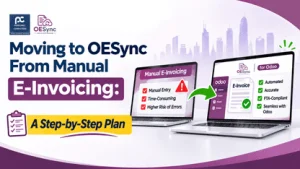
By Akanksha Surana, CEO — Perfonec Computers | November 2026
Quick Answer
Because manual e-invoicing means re-keying or uploading each invoice by hand, it costs time and causes errors as volume grows. To move to a connected process safely, check your Odoo hosting first, fix your data, test on a copy of Odoo, run the manual and connected routes side by side, and then cut over with a fallback.
| First check | Odoo Online, Odoo.sh or on-premise |
| Your data | A connector does not fix it |
| Safest route | Test on a copy, run both routes, then cut over |
| Go-live dates | 1 Jan 2027 (AED 50M+) | 1 Jul 2027 (below AED 50M) |
What this guide covers: why manual e-invoicing stops working, the hosting check, a 10-step plan, the data fixes, pilot testing, a safe cut-over, a timeline for each phase, and the questions to settle first. By Perfonec, Odoo Ready Partner with Odoo Middle East.
How to Choose a UAE E-Invoicing Connector for Odoo: 12 Questions to Ask
Odoo ERP for UAE Trading and E-Commerce Businesses
UAE E-Invoicing 2027: Complete Business Guide
📄 Free guide PDF: Moving to OESync From Manual E-Invoicing
Download the 4-page plan with the 10 steps, the data fixes, the testing checklist, the cut-over plan, and the roles and risks tables.
Why manual e-invoicing stops working
Many UAE businesses start e-invoicing by hand. Someone creates the invoice in Odoo, and then re-enters or uploads its details to a provider’s portal. That works for a few invoices a week, but it breaks down as volume grows, because every re-keyed field is a chance for a rejection.
Meanwhile, the time cost grows with every invoice, and rejections become hard to trace across Odoo, files, and the portal. Therefore, many finance teams look for a connector that moves the data once, from Odoo to the provider. However, a connector only helps when you plan the move itself with care.
Manual and connected e-invoicing compared
The difference shows up in five areas. In each one, the connected route should reduce effort, but it does not remove the need for good data.
Entry: In the manual route, someone re-enters or uploads each invoice, whereas in the connected route the invoice data moves from Odoo to the provider through the connector.
Errors: Typing mistakes and missed fields are common by hand, so using the same data once should reduce re-keying errors. However, data quality still matters.
Status: Staff check the provider portal in the manual route, while the connected route is meant to show status in Odoo, so please confirm exactly how it works for your version.
Time: Manual time grows with every invoice, but connected time stays mostly fixed once the setup is done, with extra time spent on exceptions.
Audit trail: Records sit across Odoo, files, and the portal in the manual route, so ask what the connector stores and for how long.
Step 0: check your Odoo hosting first
Odoo.sh and on-premise installations accept custom modules, so you can install a connector there. Furthermore, Odoo.sh offers staging copies, which makes testing safer. If you are on Odoo Online, ask Odoo and your partner what your options are, including a move to Odoo.sh or on-premise.
Hosting rules can change, so please confirm the position with Odoo. Perfonec lists Odoo 16, 17, 18, and v20 for OESync, so confirm that OESync covers your version and edition before you plan anything else.
The 10-step plan
The plan has three stages: prepare, build and test, and launch. Each stage ends with a clear output, so you always know whether to move on.
Steps 1 to 3: prepare
First, measure the manual process. Count invoices per week, rejections per month, and hours spent on re-keying, because this baseline shows later whether the move paid off. Second, check your hosting and version, so you know whether you can install a connector at all.
Third, audit your data. Check tax numbers, item names, units, addresses, and tax categories, and then give each fix an owner. If you skip this step, the connector will simply pass your mistakes along faster.
Steps 4 to 7: build and test
Fourth, list your invoice types, such as standard, credit note, advance, export, free zone, and foreign currency invoices. Fifth, settle the provider and the cost by confirming the accredited provider, the fees, and the support terms in writing.
Sixth, install the connector on a copy of Odoo, never on live data first. Seventh, test side by side by running each invoice type through both the manual and the connected routes, and then compare the results and list every difference.
Steps 8 to 10: launch and improve
Eighth, train the team and agree who sends, who monitors status, and who fixes rejections. Ninth, cut over on a chosen date, after you back up Odoo, and keep the manual route as a fallback. Finally, review weekly for the first weeks, and then monthly, so problems surface early.
Data fixes before you connect
Customer tax numbers are often missing on business customers, yet a business invoice needs the buyer’s number. Item names such as Services or Goods are too generic, because invoice lines must say what was supplied. Likewise, non-standard units such as Box or Lot must map to recognised codes.
In addition, addresses stored as one text block need splitting into street, city, and country. Zero-rated and exempt items set at the standard rate cause wrong VAT and rejections. Finally, mark free zone customers clearly, because their treatment can differ.
Testing in the pilot phase
The pilot phase has been open since 1 July 2026, and no fines apply while you test. Therefore, this is the cheapest time to make mistakes. Test each invoice type you raise, using real examples with cleaned data.
Check six things. First, a standard invoice should show every required field and reach the provider. Second, a credit note should refer to the original invoice. Third, an export invoice should carry the zero-rated category. Fourth, a free zone customer should carry the correct marker. Fifth, a foreign currency invoice should show the right AED equivalent. Finally, a rejection should be readable, so you can fix the data and send again.
Please confirm with Perfonec which invoice types OESync supports for your Odoo version, and test only those you will actually use.
A safe cut-over plan
Before cut-over
Back up Odoo and save the steps of the manual process, because you may need them as a fallback. Then confirm that every test passed and that every owner knows their job. Finally, close the open items on your data list.
On cut-over day
Install on live during a quiet period, and send one real invoice first. Then check its status in Odoo and at the provider. After that, tell your team and key customers about the date.
After cut-over
Keep the manual route as a fallback for a short, agreed period. Furthermore, review rejections and exceptions every week for the first month, and compare the time spent against your baseline from Step 1.
Timeline for each phase
Your date depends on your annual revenue, so the order of work differs. The 30 October 2026 date for appointing a provider has just passed for larger businesses, which makes the choice of provider the first job for them.
| Business category | Appoint a provider by | Go-live |
|---|---|---|
| Revenue AED 50M or more | 30 Oct 2026 (just passed) | 1 January 2027 |
| Revenue below AED 50M | 31 March 2027 | 1 July 2027 |
| Pilot phase | Open from 1 July 2026 | No fines during testing |
If your date is 1 January 2027, about seven weeks remain, so run the data fixes and the test setup together, and test every invoice type in the pilot phase. If your date is 1 July 2027, measure the manual process and audit the data from November to January. Then settle the provider by 31 March, install on a copy and test in April and May, and train and cut over in June.
This timeline is my suggested order of work, not an official timetable. Furthermore, please confirm which financial year counts for the AED 50 million test, and whether your business is in scope, with your tax adviser. After go-live, the published fines are AED 5,000 per month for not implementing, with no upper cap, and AED 100 per non-compliant invoice, capped at AED 5,000 per month.
Roles and risks after the move
Because each task needs a clear owner, name one person for each job. The accounts clerk raises invoices and checks status, while the senior accountant reviews rejections and approves exceptions. Meanwhile, sales staff collect tax numbers and addresses from new business customers, and the Odoo administrator or partner looks after updates, backups, and settings.
Several risks deserve a plan. If the provider rejects invoices after cut-over, read the reason, fix the data, send again, and add the cause to your checklist. If an Odoo update stops the connector, test every update on a copy first, and ask Perfonec how it handles updates. Likewise, name a second owner for each job, and keep the manual route documented in case the provider has an outage.
Questions to settle with Perfonec before you start
First, which Odoo versions and editions does OESync support, and is yours covered? Second, which accredited provider does it use, and what is its accreditation number? Third, which invoice types does it support, and which does it not? Next, how are delivery status and rejections shown in Odoo? Finally, what is the total cost over three years, including the provider’s fee, setup, and support?
You can check any provider’s accreditation on the official Ministry of Finance list of accredited service providers. Also, ask the same questions of every option you compare.
Common questions
Can I install OESync on Odoo Online?
Odoo’s documentation says Odoo Online is not compatible with non-standard apps, so you cannot install a third-party connector there. However, Odoo.sh and on-premise installations accept custom modules. Therefore, if you are on Odoo Online, ask Odoo and Perfonec what your options are.
Do I need to clean my data before moving to a connector?
Yes, because a connector moves invoice data but does not repair it. Missing tax numbers, vague item names, and wrong tax categories cause most rejections, so fix them before you connect.
Why should I test on a copy of Odoo first?
A copy lets you make mistakes without touching live data. Furthermore, you can compare the manual and connected results side by side, and then cut over with confidence.
How long does the move take?
It depends on your data, your invoice volume, and your date. Therefore, treat the timeline in this plan as a suggested order of work, and ask Perfonec to confirm a timeline after a readiness check.
What happens if the provider rejects an invoice after cut-over?
Read the reason, fix the data, and send the invoice again. Because the cause is usually a data problem, add it to your checklist, and ask Perfonec how rejections appear in Odoo for your version.
Free Odoo E-Invoicing Readiness Check by Perfonec
Perfonec is an Odoo Ready Partner with Odoo Middle East (Cert n°0000699697) and the developer of OESync, so we can check your Odoo version and hosting, review your data, and answer the questions in this plan for our own connector. Furthermore, the check costs nothing and carries no commitment.
📞 +971 4 386 6199 | 📧 sales@perfonec.com | 💬 WhatsApp
Akanksha Surana
CEO of Perfonec Computers, Dubai. Odoo Ready Partner with Odoo Middle East (Cert n°0000699697), developer of OESync and QBESync, Authorised QuickBooks Dealer and Pro Advisor, authorised Zoho Partner, Authorised Silver Partner for TallyPrime, and Authorised Sage Reseller UAE. Read full profile
Based on published guidance on UAE Ministry of Finance e-invoicing rules and Odoo’s documentation on hosting. We checked the dates on 2 November 2026, but product details, supported versions, and costs can change, so confirm them with Perfonec in writing. Odoo is a product of Odoo S.A., and this guide is for general guidance only, not legal or tax advice.


Comments
Post a Comment